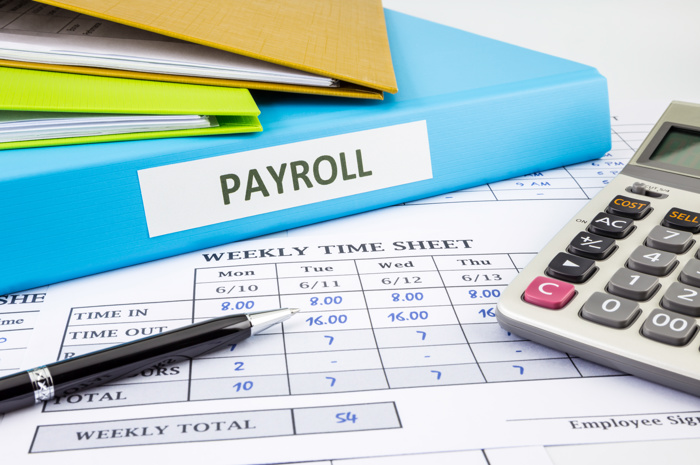
If you are a business owner, you know that each year there are several statutory filing requirements for both HMRC and Companies House, but with all the recent changes due to ‘Making Tax Digital’, verification requirements, and more, you might be struggling to know where to start before you can actually submit your annual returns. Let’s discuss some pre-filing requirements, like how to keep track of your income and expenses (through book keeping software and the use of spreadsheets), what accounts and credentials you need to create, and which services you need to activate to be able to file each of your annual returns.
Book Keeping Methods:
Before you start completing the annual returns, you need to compile all the transactions your company made throughout the year into categories that you can use to complete your income statement, which will make it easier when you’re ready to file. There are many different methods you can use for book keeping, and the best option for you will depend on how large your company is, or even how much time you have. Typically, the two most common methods are to use simple spreadsheets to track your expenses, or to use a book keeping software.
Spreadsheets:
The first and most basic option for book keeping, meaning to keep track of your income and expenses during the period, is to write every transaction down in a spreadsheet, such as Excel or Numbers. It is recommended to note down each transaction month by month, so that you can reconcile the monthly ending balances with the ending balance calculated in your spreadsheet, to ensure that they match. If you have many transactions in the period, then it might be useful to add different tabs to your spreadsheet for each month. You can start by having a column for the date, a column for the transaction, a column for the amount, and finally a column for the ending balance. A tip for the ending balance is to add a formula into this column so that it automatically adds the income column and subtracts the expenses column to calculate the ending balance after each transaction for you. Most spreadsheets, such as Excel, should have the functionality for this.
It is also worth adding a column next to the transaction column where you can enter your own category in the spreadsheet, which will help you keep track of what it relates to, for when you are completing your accounts.
Your spreadsheet should look something like this:
| Date | Transaction | Category | In | Out | Balance |
| 16/2/2026 | Amazon.com - ref: XHDFJGH8765 | Equipment Purchase | £-214.50 | £6,355 | |
| 19/2/2026 | Ref: Invoice #254 | Sales | £450 | £6,805 | |
| 24/2/2026 | Companies House - ref: Conf Statement | Professional Fees | £-34 | £6,771 |
Completing the spreadsheet each month, and adding the category at the time, will help ensure that the transactions are grouped correctly and save you time trying to figure out what they are in the future! If you don't have any software that will allow you to create a spreadsheet, then another book keeping method to use is by signing up for a book keeping software, which will automatically categorise the transactions for you.
Book Keeping Software:
While using a spreadsheet to keep track of your income and expenses can give you a bit more control over your accounts, it can also be a huge burden on your time when you’re trying to run your business as well. This is where book keeping software can come in handy, as it will create a profit/loss statement and balance sheet for you, so that when you are filing you simply need to enter those figures into our software and you’re all set to submit!
Some popular book keeping software options for smaller businesses are QuickBooks, Sage, or Xero. They will help you keep track of your transactions so that there is less work for you to do when you’re completing your annual returns! It is worth noting that while these book keeping software's will organise the figures, you will still need to prepare the filings in the correct formats as required by HMRC and Companies House - but don’t worry, that’s where Easy Digital comes into it! We offer HMRC and Companies House approved IXBRL accounts templates and also corporation tax return templates so you just need to add the filings to your account, fill them in, and then submit your annual returns! You can find out more on how to complete these through our article ‘Can I file my own annual returns?’ on our Knowledge Base.
Filing Credentials:
As well as completing the book keeping for the whole accounting period, you also need to ensure that you have the correct credentials and accounts set up in order to actually submit the annual returns to HMRC and Companies House.
HMRC:
There are quite a few requirements you need to have settled before you can submit the annual returns to HMRC, and they can take a while, so it is best to get this set us as early as possible. You will receive a UTR (Unique Tax Reference) for the company within a month of registering your company. This is sent automatically by HMRC. Once you receive this you will need to set up a separate government gateway, or GOV.UK One Login, account which is just for your company. Upon creating the account, you will receive a 12-digit user id and will also be prompted to create a password - you will need to have these at hand when submitting the annual returns, so it is important to keep these safe.
In addition to having the account, you also need to activate the relevant tax service within it before you can submit the annual returns. If you are submitting a corporation tax return for your company, then you will need to activate the corporation tax service, however, if you are submitting a self-assessment return for your partnership, then you will need to activate the self-assessment service instead. To do this, you need to log in to your company’s gateway account, click on ‘add tax, duty, service, or scheme’ and then select the relevant tax service you want to add. You will then have to enter a few company details, including the company’s UTR number, and then you can request the code. The code will then be sent within 7-10 working days to your company’s registered address, so it important that you do this enough in advance because you won’t be able to submit the filings until this has been done. You can find out more on how to activate tax services.
Companies House:
Thankfully, it is a much simpler process to submit your accounts to Companies House! The only credentials that you need for this submission is the company’s 6-character authentication code, which is automatically sent to the company’s registered address in a letter, around 5-10 days after incorporating. Once again, it is important to keep this safe, as you won’t be able to find it within your WebFiling account, since it is only provided within a letter. But don’t worry if you can’t find this because you can always request a reminder of Companies House authentication code to be sent again. It takes around 3-5 days for this to arrive so it is best to check if you have the code before your filing due date rolls around so that you don't miss any of your annual returns.
Identity Verification:
From the 18th November 2025, there were new identity verification requirements that were introduced for all directors and persons with signification control for companies registered on Companies House. This just means that you will need to verify yourself, either through the Companies House website or through an Authorised Corporate Service Provider (such as Easy Digital), by providing a proof of identity and proof of address. Once verified, you will then receive a personal code which is 11 characters long, which is sent in an email. It is worth noting that the verification codes are linked to individuals, rather than companies, so you only need to verify yourself once even if you are the director of more than one company.
All directors and PSCs of the company must be verified before you can submit the confirmation statement to Companies House, however, this is not the case for the accounts submission. To learn more about this, please feel free to read our article ‘What is the identity verification code and how do I use it to submit?’ in our Knowledge Base.
To Summarise...
Now that we have covered all the necessary requirements for filing to both HMRC and Companies House, from book keeping to account creation, you should have everything you need to submit. But just in case you missed something, you can use this submission checklist to make sure that you have everything in order before filing:
- Create a profit/loss statement and balance sheet (if using book keeping software), or a spreadsheet with the categorised income/expenses for the period
- Create an HMRC government gateway account, or GOV.UK One Login account, for my company and make a note of the user id and password
- Activate the correct tax service in your company’s gateway account - for limited companies, you need to activate the corporation tax service, and for partnerships you need to activate the self-assessment tax service
- Make sure you have the company’s UTR number and Companies House authentication code (these are automatically sent in a letter)
- Complete the identity verification for all directors and PSC’s and note down their personal verification code, once complete
If you have completed all of the above, then you are ready to file your annual returns! Just head to easydigitalfiling.com to get started!