Why Project Management Tools Matter
Whether your team is office-based, remote, or hybrid, managing several projects, team members, and deadlines is part of running a business in the UK. Staying organised is not just about efficiency – it helps you meet legal obligations such as financial reporting, employment law, GDPR, while managing workloads and reducing stress. Project management tools help give a clear overview of your projects by bringing together communication, tasks and progress tracking. Effectively implementing these tools can help UK SMEs improve task management, team productivity, organisation, and accountability.
1. Choosing the Right Project Management Tool
Your team size, workflow, and whether employees work remotely or on-site all play a role in choosing the best solution for your company. A good project management tool should offer more than just basic task tracking.
Features to look out for in project management tools:
- Task management to monitor progress and assign responsibilities
- File sharing and document management for easy, centralised access
- Calendar integration to track meetings and deadlines
- Automated notifications and reminders to keep the team on track
- Collaboration tools like chat, comments and discussion boards
- Document version control to prevent errors and multiple overlapping file edits
- Time tracking to monitor hours spent on tasks and projects
- User permissions and access controls to protect sensitive information
Some popular project management tools in the UK include Trello, Monday.com, Microsoft Planner, Asana. You’ll need to consider the cost, ease of use, how well it fits your business needs and whether it scales as your business grows.
2. Setting Up Your Project
To start, you need to define the project aims, scope and objectives clearly. You can break the project into small manageable tasks or milestones which will allow for efficiency and then assign responsibilities to different team members. You can set realistic deadlines for each task but also take into account working patterns, bank holidays and requested/approved leaves. Keeping and maintaining a clear setup reduces confusion and keeps the team on track to complete tasks. Good task management helps ensure every task is completed on time.
3. Organising Tasks and Workflows
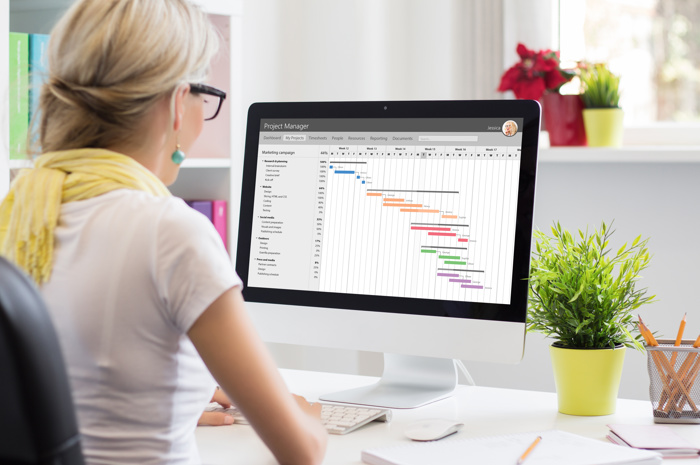
One key benefit of project management tools is the ability to visualise your workflow. You can implement strong task management practices by using lists, boards and grouping related tasks into categories alongside deadlines, so teams can see what needs urgent attention. You can further improve clarity, by adding levels of priorities (high, medium, low), adding checklists within tasks to ensure everything is being covered. This approach strengthens organisation and encourages team productivity, which is ideal for companies that handle regulated projects or collaborative projects.
4. Collaborating with Your Team
Working collaboratively not only improves productivity, but also brings together different perspectives, helping teams come up with more innovative and creative solutions. Different people naturally have different areas of expertise so collectively, you can tackle complex problems together, whilst also sharing and learning from one another’s skills and knowledge. It also boosts morale and commitment, as people feel more engaged when working towards a shared goal.
You can invite the appropriate team members to the assigned project and use comment sections or discussion threads to facilitate feedback and idea-sharing. Sharing files directly in the platform and setting up notifications when changes are made or when comments are added, can help encourage regular check-ins, and in turn, boosts team productivity.
5. Tracking Progress and Reporting
Meeting deadlines is crucial and monitoring progress is the best way to ensure this. On your chosen management tool, you can look into using dashboards and charts to track task management and task completion and identify any overdue tasks in advance, helping you prepare more effectively. You can then adjust timelines and allocate resources as needed to ensure efficient task management and maintain overall organisation.
6. Tips for Maximising Effectiveness
So, you can benefit from your project management tools, here are some tips to note:
- Begin with a simple setup and try not to overcomplicate it
- Update tasks on a regular basis; ideally weekly or as progress occurs
- Integrate the project management tool with calendars and emails so your applications are synced
- Promote feedback and idea sharing to encourage team collaboration and increase team productivity
- Set tasks into relevant categories based on priorities and deadlines
- Monitor dashboards and update tasks to maintain organisation and ensure efficient task management
Staying Organised for Better Results
Project management tools can help your business execute projects smoothly by staying on top of tasks, deadlines, and team collaboration. By choosing the appropriate tool, carefully planning projects, and adhering to best practices, you can make sure that your workflow is efficient and strengthens organisation throughout your company. These tools eventually serve as a focal point for all of your initiatives, enabling your team to collaborate more effectively, boost team productivity and help you deliver stronger outcomes.
Want more tips on running your company smoothly? Check out our knowledge base for more information!